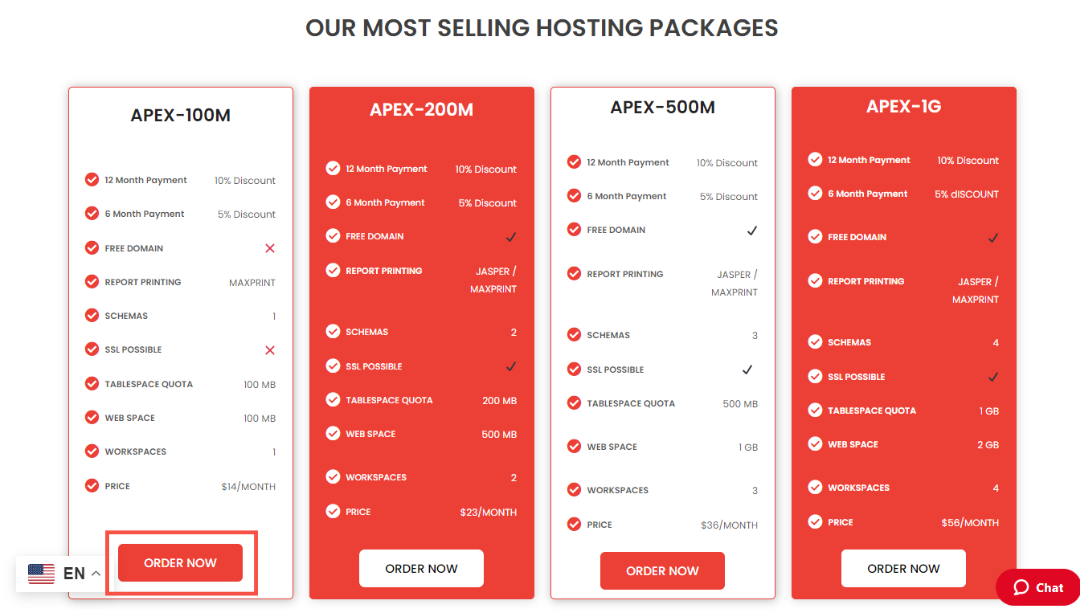
Step 1: Go to Oracle APEX Shared Hosting Page
- Navigate to the Oracle APEX Shared Hosting page on the website.

Step 2: Select Any Plan
- Choose the hosting plan that suits your needs from the available options.
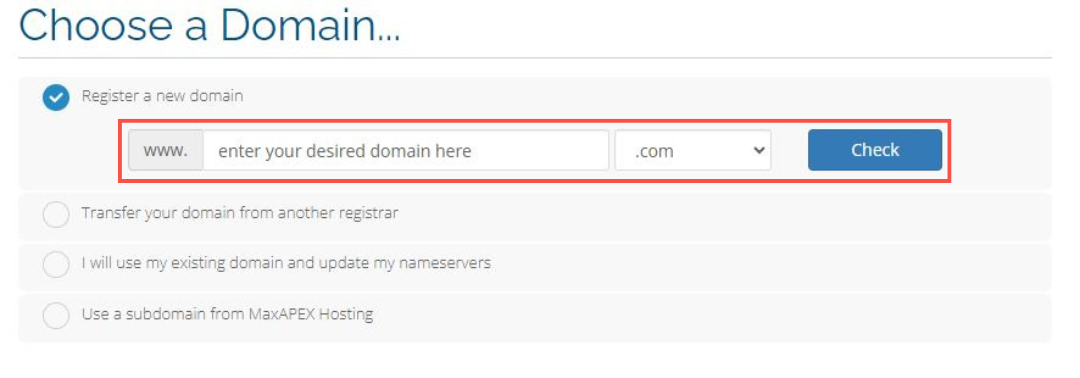
Step 3: Enter Your Domain Name
- Input your desired domain name to register or choose an existing one.
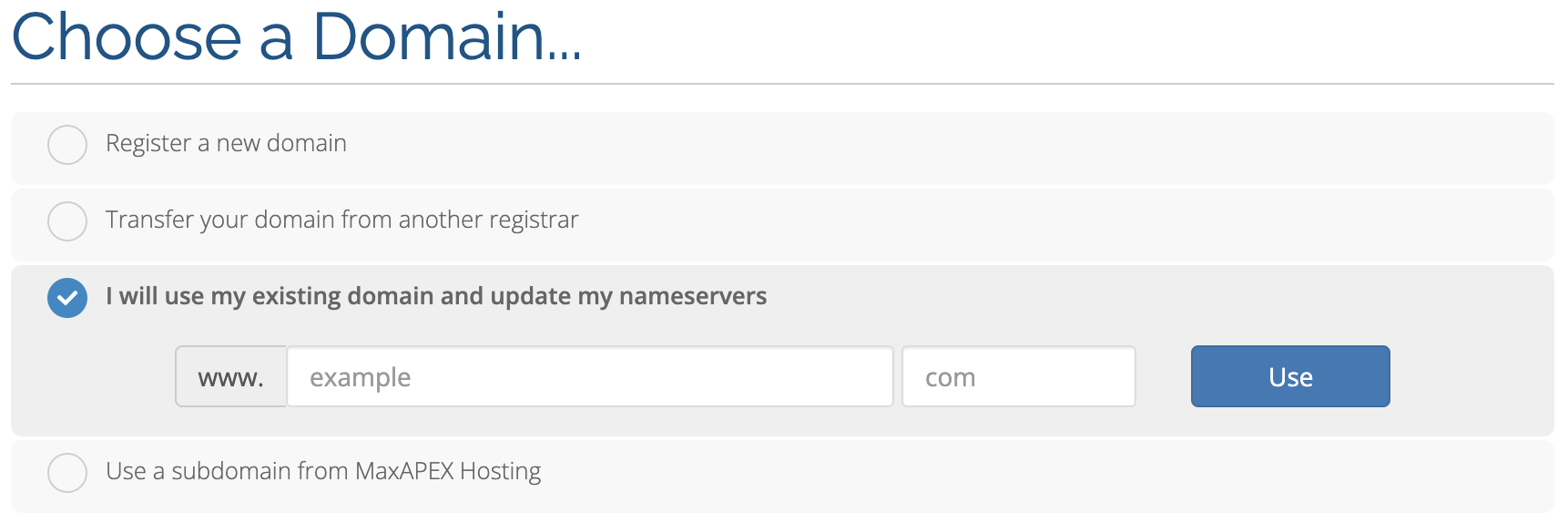
- Transfer your domain to MaxAPEX from another.
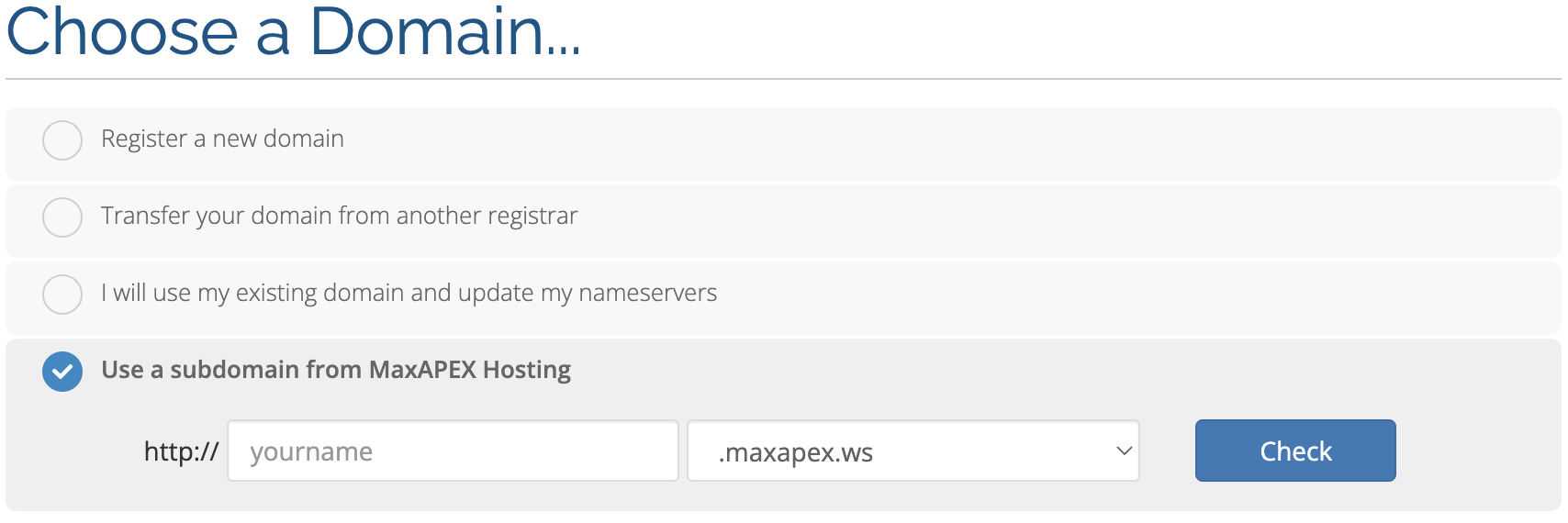
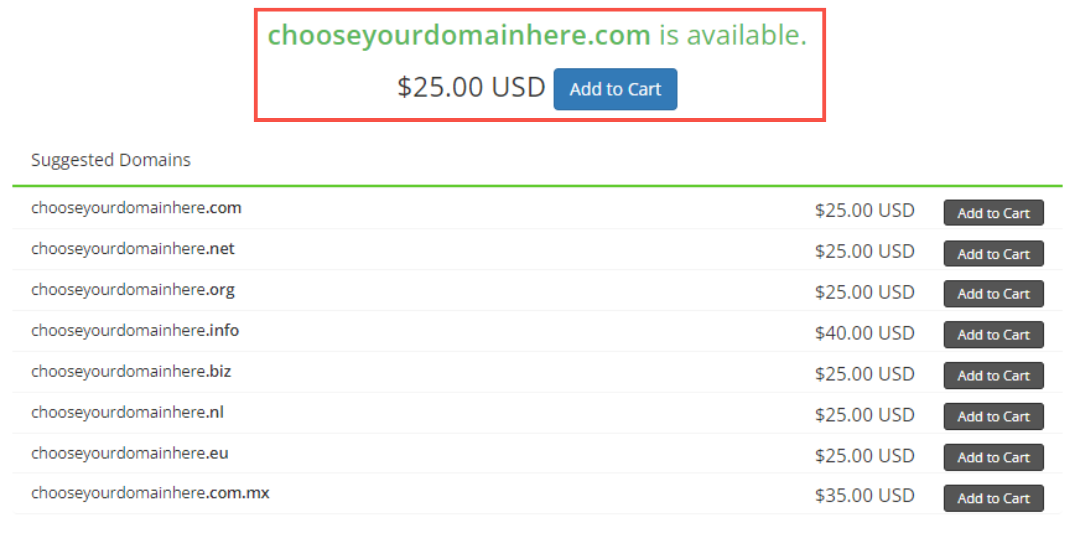
Step 4: Choose Available Domain
- Select from the available domain options that are suggested after entering your domain name.
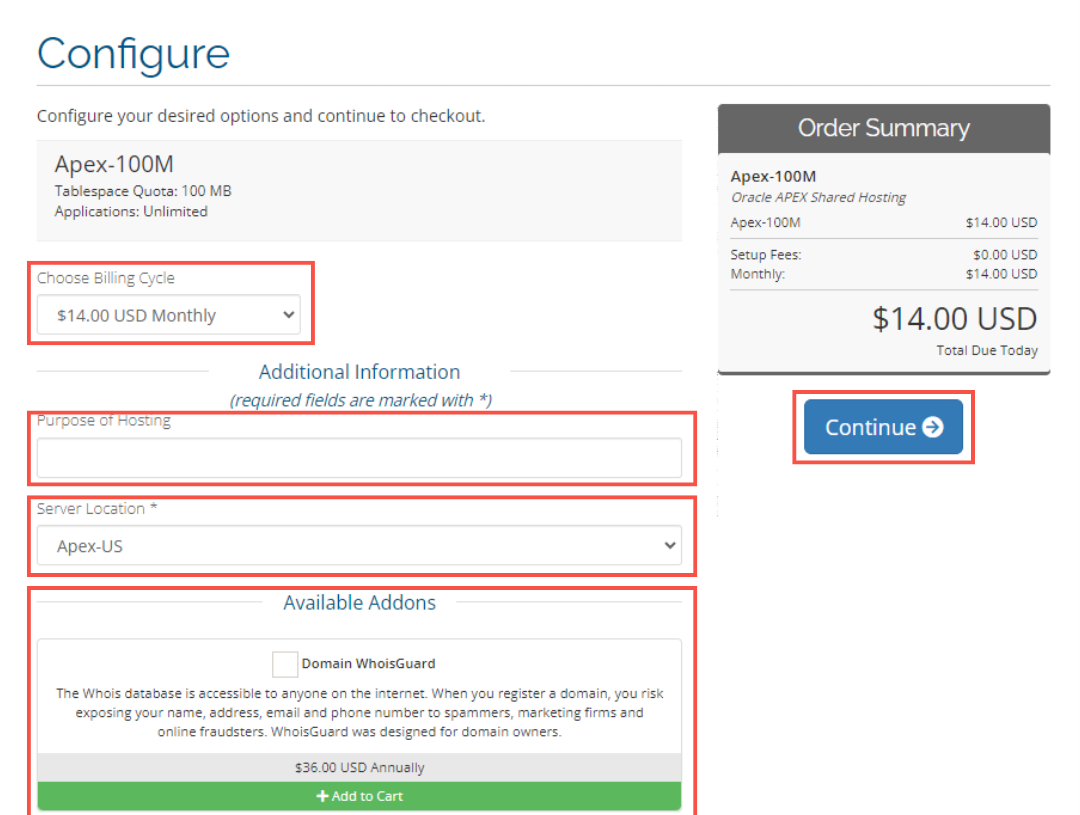
Step 5: Choose Billing Cycle & Add Additional Info
- Select your preferred billing cycle and provide any required additional information.
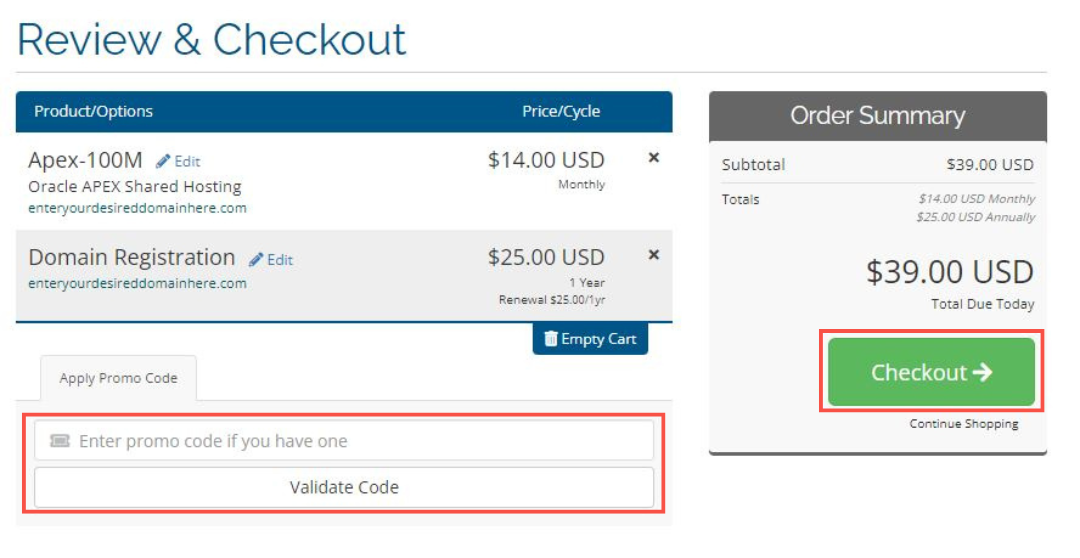
Step 6: Review Your Order & Checkout
- Review the details of your selected plan and domain, enter your promo code if you have one, then proceed to checkout.
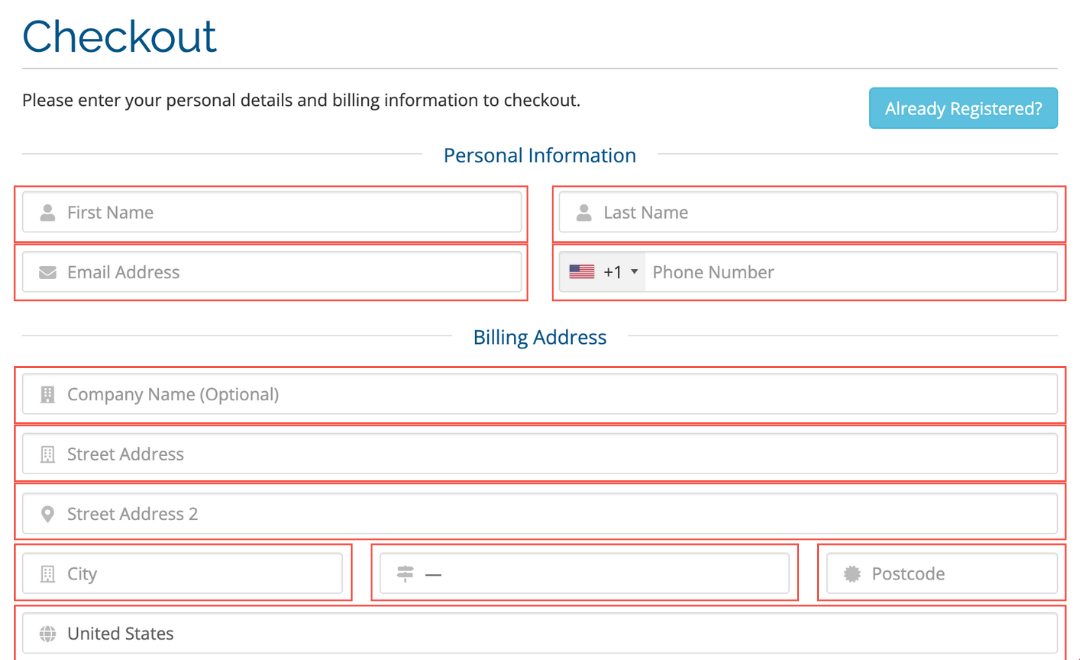
Step 7: Add Your Personal Info and Billing Address
- Fill in your personal information and billing address in the checkout form.
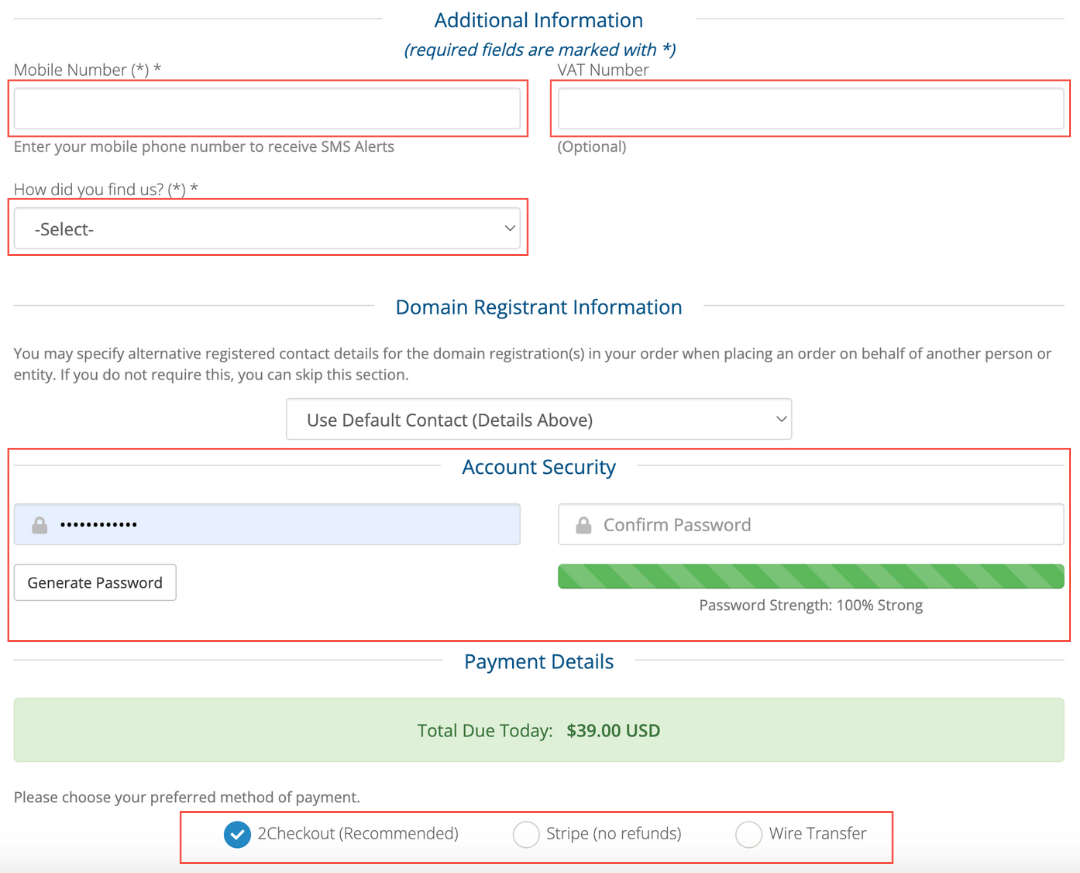
Step 8: Add Your Additional Info, Domain Registration Info, Account Security, & Payment Details
- Provide additional details such as mobile number, domain registrant information, and set up account security and payment details.
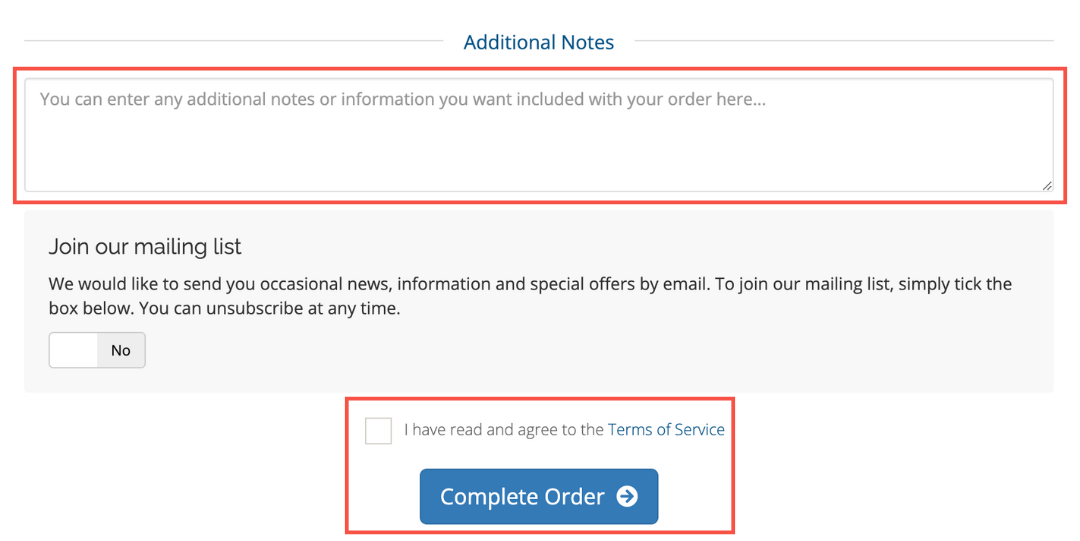
Step 9: Optional: Add Additional Notes & Complete Your Order
- If needed, add any additional notes or information, and then complete your order by agreeing to the terms of service and clicking the "Complete Order" button.